TRANSMISSION // 2606.11078v2
An AI critic that remembers what happened—and checks where it clicks
Source published
On three GUI benchmarks, HiViG’s history summaries and screenshot checks improved task success for two tested agents. The preprint also reports added latency and critic errors.
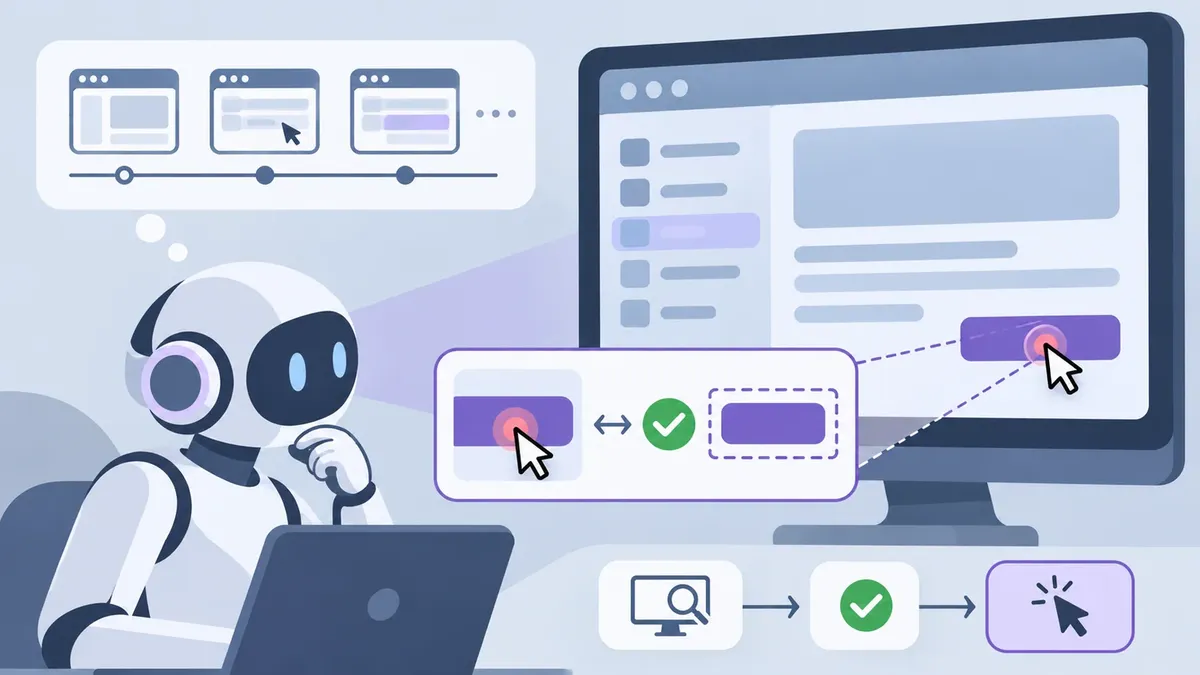
A computer-use agent can know what it wants to click and still miss the target. It can also lose track of earlier actions. HiViG, a framework described in an arXiv preprint, adds a trained critic to summarize progress and review proposed actions against screenshots. Its results are promising on the tested benchmarks, but do not establish how it will perform in everyday computer use.
Computer-use agents interact with websites, phones and desktop software by interpreting screens and issuing actions such as clicks, keystrokes and scrolls. In a long task, two weaknesses can compound: an agent may lose track of what it has already done, or its intended click may land on the wrong screen element. A critic that checks an action before it happens could catch some mistakes—but only if it considers both the task history and the actual screen.
That is the problem addressed by HiViG, short for History-aware Visually Grounded. The authors train a multimodal critic to provide two kinds of support: a concise account of task progress, and feedback on whether a proposed action fits the visible interface. It is designed to intervene before the agent acts, rather than rely on correcting an error afterward.
A short memory and a screen check
The history component, called macro-action history, turns individual interactions into a compact record of achievements. For example, it might record that the agent opened the Downloads folder and confirmed that a particular folder inside it was empty. The summary is updated as new visual changes appear. The authors’ aim is to help the agent track progress and avoid repeated, ineffective decisions; the experiments do not establish that it will prevent every unnecessary revisit.
The second component checks a proposed action. A click includes coordinates, not just a verbal description such as “open the menu.” HiViG places a visual marker at the proposed location on the screenshot and uses the marked image to assess the targeted interface element, the action’s likely effect and its relevance to the instruction. If the critic judges the action flawed, it gives the agent an explanation before execution so the agent can revise it. This is an assessment, not a guarantee: the paper reports cases where the critic misread visual details.
To train the critic, the researchers used GUI interaction trajectories from the ScaleCUA training corpus. They used a multimodal model to create examples for summarizing progress and evaluating actions. For the error-analysis examples, they paired successful actions with plausible altered actions representing mistakes. The paper describes 12 error categories, including clicking the wrong location, overlooking a required step and stopping before the task is complete. The resulting training set contained 52,000 examples, divided between history tracking and visually grounded action analysis.
Tests across three kinds of interface
The researchers evaluated HiViG with two agent policies: Qwen3-VL-32B-Thinking and Gemini-3-Flash. They tested tasks in WebArenaLite v2, AndroidLab and WindowsAgentArena, representing web, mobile and desktop settings. The main outcome was task success in the benchmark environments.
In the main results table, HiViG raised average success across the three benchmarks from 31.0% to 38.3% for Qwen3-VL-32B-Thinking, and from 41.4% to 50.4% for Gemini-3-Flash. These are increases of 7.3 and 9.0 percentage points. In a separate WebArenaLite v2 ablation, each component improved results when tested alone, and the combination produced the highest success rate among the tested configurations. That finding is specific to this ablation; it does not show that the combination is best in every setting.
The checks also take time. In a latency test on 20 WebArenaLite v2 tasks, the full system averaged 17.4 seconds per step, compared with 8.2 seconds for the unassisted agent. The history-only version averaged 11.5 seconds per step, and visual analysis alone averaged 15.2 seconds. These measurements illustrate a trade-off: review adds computation and delay, even when it may help prevent errors.
What remains uncertain
The results come from specific models, benchmark environments and task limits. They are not a demonstration of reliable performance across all software or real-world situations. The authors say the main experiments used a single run because long-horizon GUI testing is costly. An appendix reports three-run results for Qwen3-VL-32B-Thinking, providing additional evidence for that policy, but broader testing would still be needed.
The critic can be wrong. The paper describes cases where it missed subtle visual differences, such as selecting a dark-red option instead of red, or mistakenly recorded an item as deleted when its details view had merely closed. The authors describe their 12-category error taxonomy as bounded by the current landscape of digital interfaces and say new kinds of errors may emerge. An incorrect critique or progress summary could misdirect an agent.
HiViG is presented in an arXiv preprint, a research report that should not be treated as proof of dependable deployment. The findings suggest that a compact progress record and screenshot-based action checks can improve benchmark task completion for the tested agents. Whether those gains hold under broader conditions—and justify the added latency—remains open.
- computer-use agents
- artificial intelligence
- GUI automation
- multimodal AI
- visual grounding
- AI benchmarks
Reviewed cross-references
These connections were reviewed by a model, not independently fact-checked by a human. Similarity does not imply agreement; consult the original papers and the evidence below.
Why visual agents should judge actions on the screen
Supporting evidence: Both studies report benefits from judging GUI actions with visual context: HiViG checks proposed coordinates against the screenshot before execution, while Bel marks sampled actions on the screen and selects among them. Their reported improvements are compatible evidence for visually grounded action assessment, but the methods, tasks, and evaluation measures differ, so this is not a direct comparison.
Model review: · openai-codex/gpt-6-luna
Evidence and provenance
Selected excerpts, not complete papers. PDF extraction can omit figures or damage equations, tables and reading order; sources may be preprints.
2606.11078v2 — Original paper
Excerpt reference:
static/papers/2606.11078v2.md:13-86
Basis: Paper text
Source SHA-256:2786db8afe3a74341a03ed4792ce78c4bc70a605d1185758815fc0e6fa5005062611.27222v1 — Original paper
Excerpt reference:
static/papers/2611.27222v1.md:157-184
Basis: Paper text
Source SHA-256:3818b8eb706706785da20bfea44081bea8e167d708c87188e0dab8d70da223cf
Related reading
Automatically matched by shared topic keywords. These links do not imply that the sources agree or establish a consensus.
Can AI benchmarks keep up with computer-use agents?
Source published
Shared keywords: ai benchmarks, computer use agents
Why visual agents should judge actions on the screen
Source published
Shared keywords: gui automation, multimodal ai
Why AI Still Misses Details in Complex Documents
Source published
Shared keywords: ai benchmarks, artificial intelligence, multimodal ai
Why computer-savvy AI struggles with a real keyboard
Source published
Shared keywords: ai benchmarks, computer use agents
What ICLWorld Reveals About AI Agents on Screens and Robots
Source published
Shared keywords: ai benchmarks, computer use agents